Turn a written idea into an image, or upload one reference and describe an edit. Create with MiniMax H3 Image in your browser, without a subscription or sign-up. Start with a clear subject, composition and light; refine the details that matter to you.
3 image submissions per network per UTC day · 50 sitewide · One shared GPU task at a time. Image and video have separate daily allowances.
H3 Image is MiniMax's image-generation and editing model. The official release describes text-to-image creation, reference-guided work and image editing. This independent MindForgeAI tool runs a local quantized workflow; available web settings are listed below. The model's official maximum specifications are separate from this website's shared-service limits.
Two creative modesText to image, or edit one reference.
About 4 megapixels2K-area output; five aspect ratios; PNG download.
Your prompt, as writtenNo automatic prompt expansion in this preset.
Limited free access3 image submissions per network per UTC day · 50 sitewide · One shared GPU task at a time. Image and video have separate daily allowances.
Start with a prompt you can make your own
These are suggested creative briefs, not recorded output claims. Choose a starting point, then adapt the details.
Product still life
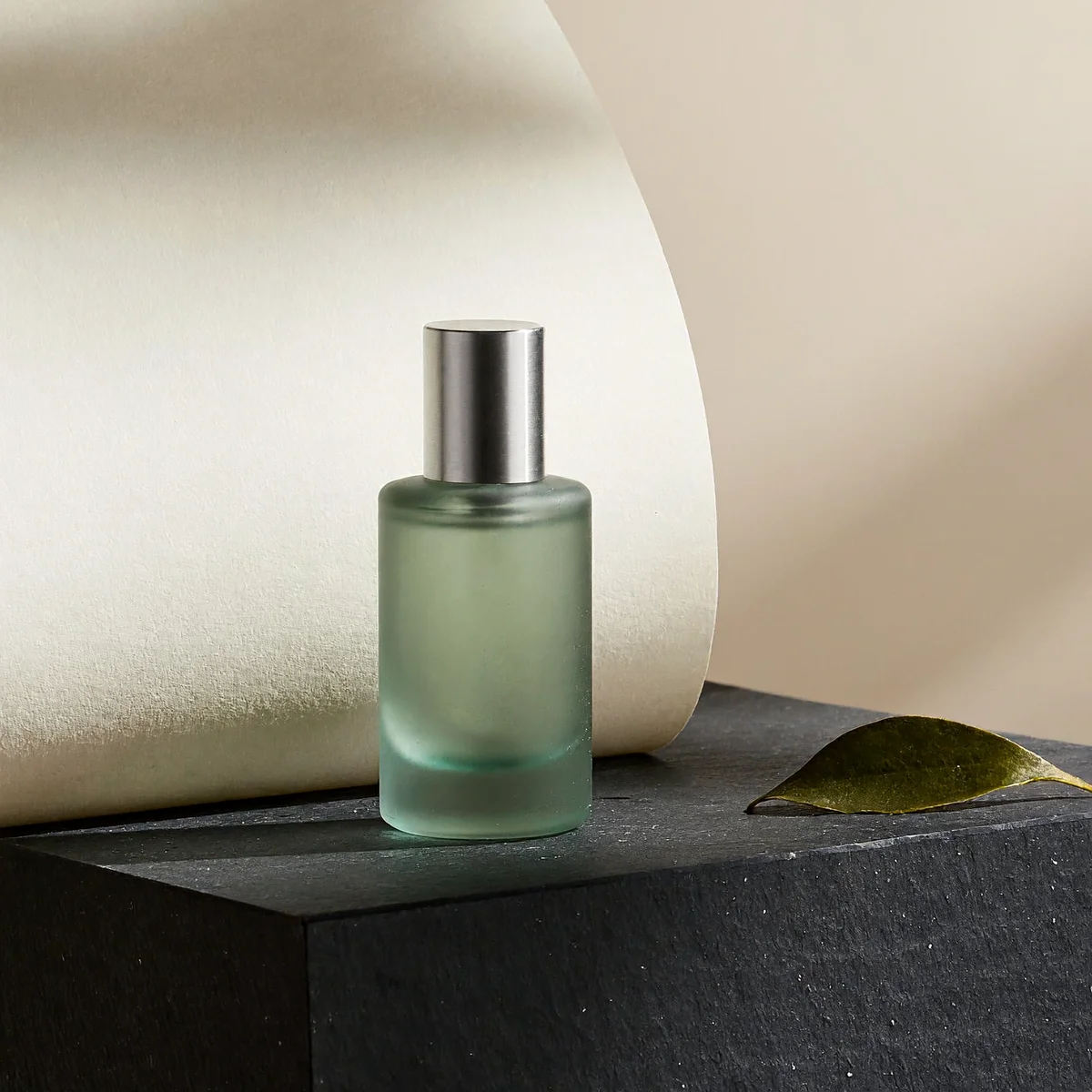
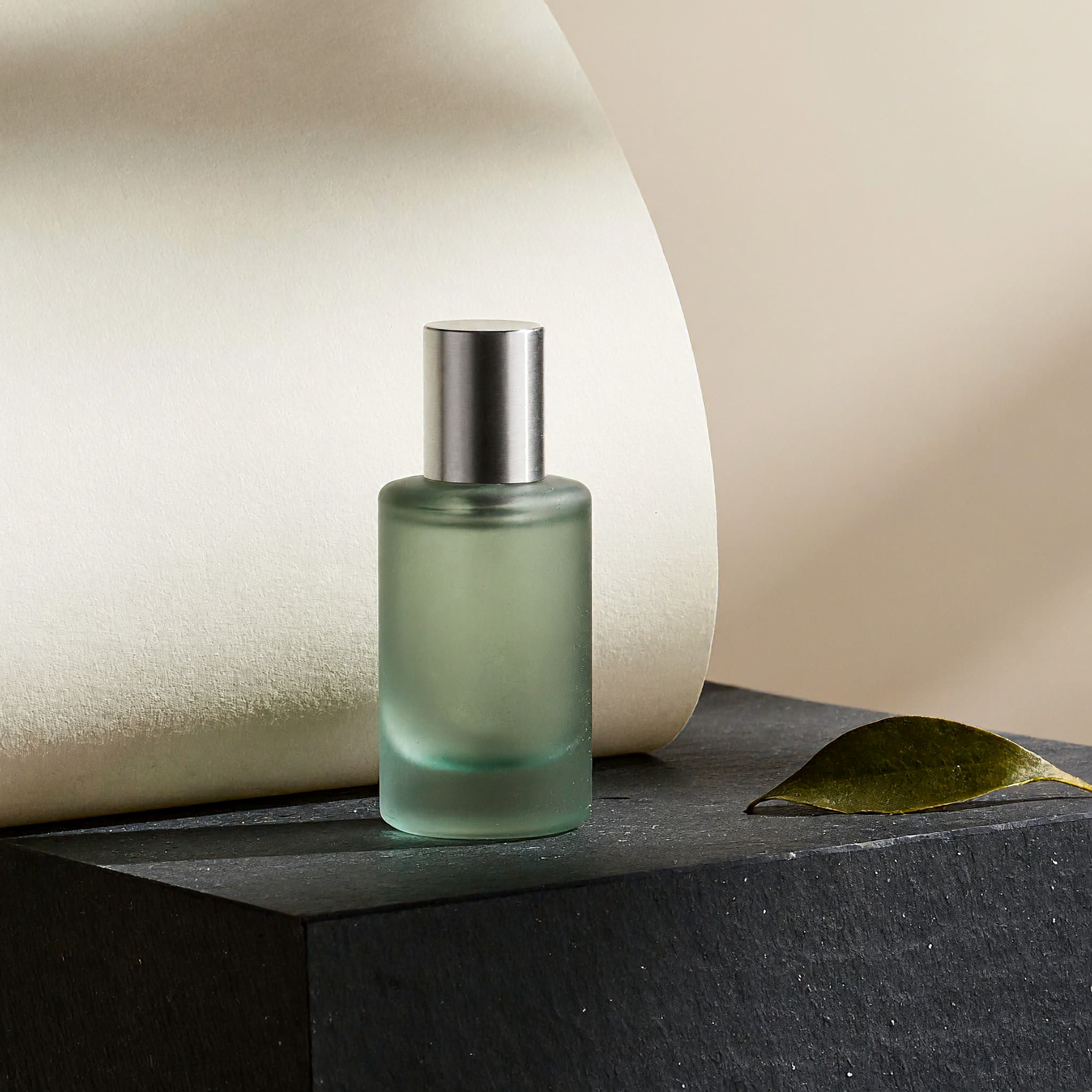
A single unbranded sage-green glass perfume bottle on a dark slate plinth, curved ivory paper backdrop, afternoon light from upper left, physically plausible glass reflections, subtle material grain, generous negative space, refined editorial product photograph. No text, logos or extra bottles.
Game environment
An original coastal research station built into basalt cliffs, a small footbridge in the foreground, warm windows above a misty blue sea, dawn light, clear architectural scale and believable connections between buildings, cinematic game environment concept, no text or logos.
Reference image edit
In <Picture 1>, replace only the background with warm ivory studio paper. Preserve the main object's shape, color, viewpoint and position. Add a soft contact shadow consistent with light from the upper left. Do not add text, logos or extra objects.
From a brief to a product concept
Describe one product, its material and the surface it sits on. Keep the camera and lighting explicit. Compare silhouette, contact shadows and reflections before trying another direction. For a real product, edit a photo you may use and inspect packaging and labels against the original.
Build a visual world with a readable composition
For environments and character concepts, state the foreground, main subject and background separately. Explain scale and where objects connect. A coherent image is useful for discussing an idea; it does not supply production geometry, a rigged character or a playable game.
Edit with a precise keep-and-change instruction
Upload one PNG, JPG or WebP, then identify it as <Picture 1> in your instruction. Say what should change and what should stay: for example, change the background while preserving the object and camera angle. The edit generates a new image; inspect the whole result for unintended changes.
How to generate an image with H3 Image
Choose text-to-image or attach one reference image you have permission to edit.
Describe the subject, composition, materials and lighting. For an edit, specify both the changes and the details to preserve.
Choose an aspect ratio and check the exact output dimensions before submitting.
Submit once. Keep the task open to see its status, then inspect and download the PNG. A busy shared service may ask you to try later.
A real H3 Image result, with its prompt
The recorded output contains one unbranded bottle on a dark plinth, curved paper and a leaf. The requested material and simple studio composition are visible. The plinth extends beyond the frame and the leaf is large relative to the bottle; this is a generated concept, not a real product photograph or a lettering-fidelity test.
MiniMax H3 Image · 2048 × 2048 · PNG · Seed 24681357 Completion recorded: 2026-11-11T14:56:19.813Z This task executed in 11.18s according to the generation host. Queueing and download time are separate; this is not a speed guarantee.
Read the exact prompt
A refined editorial still life photographed in a real studio: one small unbranded translucent sage-green glass perfume bottle with a simple brushed silver cylindrical cap, placed slightly left of center on a dark slate plinth. A curved sheet of warm ivory paper rises behind the bottle. One soft shaft of afternoon sunlight from the upper left creates a believable long shadow on the stone surface. A single olive leaf rests on the right edge of the plinth. Subtle glass refraction, tiny natural imperfections, precise physical contact and tactile paper grain. Quiet contemporary luxury art direction, generous negative space, eye-level three-quarter view, realistic 85mm product photography, square composition. No text, logo, watermark or extra bottles.
The public PNG has embedded workflow metadata removed; pixels are unchanged. The displayed WebP is a smaller preview. This is text-to-image evidence; it is not proof of reference-image fidelity or a model ranking.
H3 Image questions, answered
Can I use H3 Image for free on MindForgeAI?
Yes. This dedicated tool needs no sign-up, subscription or credit purchase. It allows 3 image submissions per network per UTC day and 50 across the site. Rejected busy requests do not reserve an image slot. An admitted attempt counts toward the allowance, including an attempt that later fails. Other image models have their own prices.
Does the web tool support 4K image generation?
MiniMax describes 4K output for the official model. This shared web preset currently uses about 4 megapixels, called 2K-area here: 2048×2048 square, or the exact landscape/portrait dimensions shown in the form. It does not offer a 4K setting. Official launch speed claims are not a latency promise for this local service.
How many reference images can I upload?
This form accepts one PNG, JPG or WebP up to 5 MB. The official model supports a larger multi-reference workflow; this web form does not expose that full limit. Use <Picture 1> to refer to your uploaded image.
Can H3 Image edit a photo using text?
Yes: attach an authorized reference, describe the intended change and select the output ratio. Include the details that must stay fixed. This is reference-guided generation rather than a brush-mask editor, and exact identity, lettering or pixel preservation is not guaranteed.
What makes a useful H3 Image prompt?
Write the complete intended picture: subject count, position, camera angle, material, light and background. Keep requests compatible with each other. Our local preset sends your prompt as typed, without an automatic prompt-expansion model or a separate negative-prompt field.
Is H3 Image the same as H3 image-to-video?
They are separate workflows. H3 Image returns a still image. The free H3 video tool accepts text or a reference and generates a silent SD clip with its own allowance. Creating an image does not automatically submit a video task.
Can I use generated images commercially?
Check the MiniMax-H3-Image Community License and the site's terms for your intended use. Open weights do not mean every use is unrestricted. You are responsible for reference-image rights, trademarks, recognizable people and the final output; this guide does not grant additional rights.
Where are uploads and results processed?
This tool sends the request through MindForgeAI's server-side service to the owner's image-generation host. The browser receives a task link and the resulting image, without service credentials. Inputs and outputs may remain on that host; do not assume automatic deletion or upload confidential material.
Official model sources
Model specifications come from the linked publisher documentation. MindForgeAI is an independent service; local quantization, device capacity and shared use can affect results and timing.