 Mind Forge AI
MIND FORGE AI · CREATIVE GUIDE
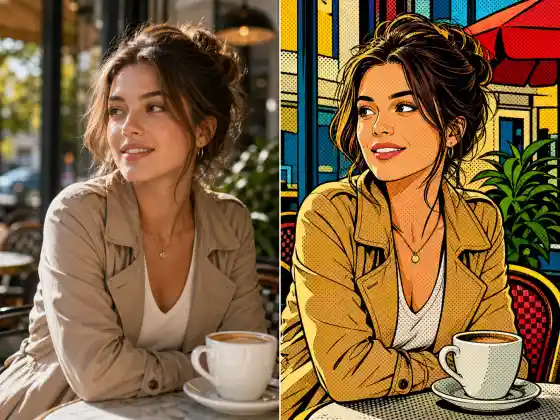
Image to Image AI with a Reference Photo
Create a new image guided by a reference photo and written instructions.
Open workspaceGuides are free to browse. Generation uses credits; review the cost before submitting.
How to use it
- Upload a reference and describe the changes in subject, scene or style.
- Review the available model settings and the displayed credit cost before submitting.
- Inspect the completed result against your reference, especially: A reference guides the output but does not lock every pixel or guarantee identity preservation.
Practical example
Reimagine this garden in autumn; keep the path and camera angle, add golden leaves and soft afternoon light.
This is a suggested workflow or prompt, not a measured result from a site test.
Uses and limitations
A reference guides the output but does not lock every pixel or guarantee identity preservation.
Frequently asked questions
When should I use image-to-image instead of local editing?
Use image-to-image for a broad reinterpretation. If one small region must change while the rest stays intact, use the masked local editor instead.
Is this tool free?
Browsing models, templates and inspiration is free. Image and video generation require an account and paid credits. Check the cost shown for your selected task before submitting.
What should I know before using it?
A reference guides the output but does not lock every pixel or guarantee identity preservation.
Ready for the next step?
Open the workspace, prepare your inputs and review the settings.
Explore related tools
Browse all tools and guides
Explore tools and practical guides
Browsing models, templates and inspiration is free. Image and video generation require an account and paid credits. Check the cost shown for your selected task before submitting.